
Features
This is what it actually does.
FicharPyme implements Spanish employment law: article 34.9 of the Estatuto de los Trabajadores, Spain's Workers' Statute. It is not designed to meet the working-time record-keeping rules of any other country.
Organised by who uses each screen: whoever clocks in, whoever runs a shift, whoever manages it, and whoever inspects or represents.
Whoever clocks in
Their working day, without hunting for it.
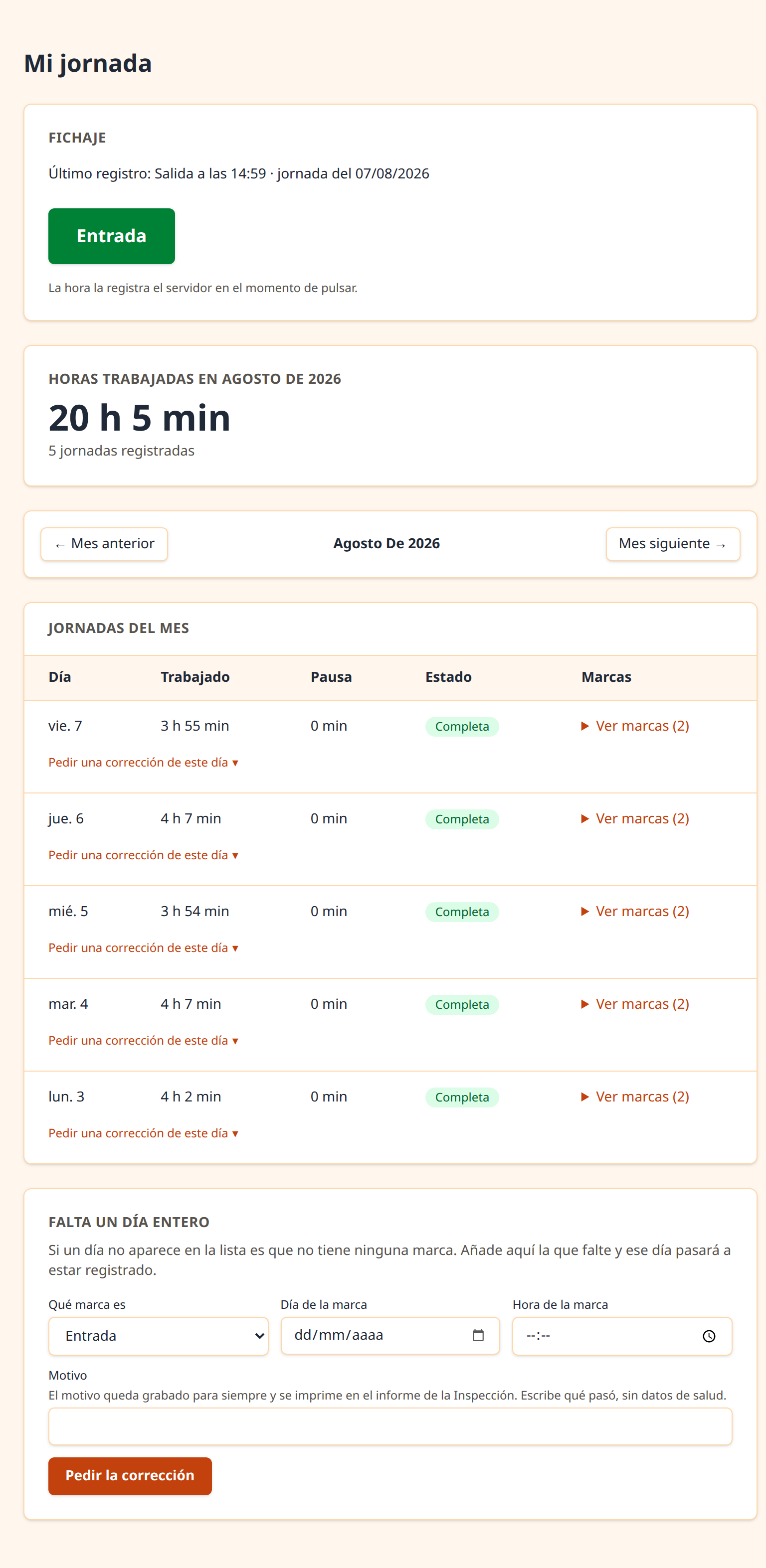
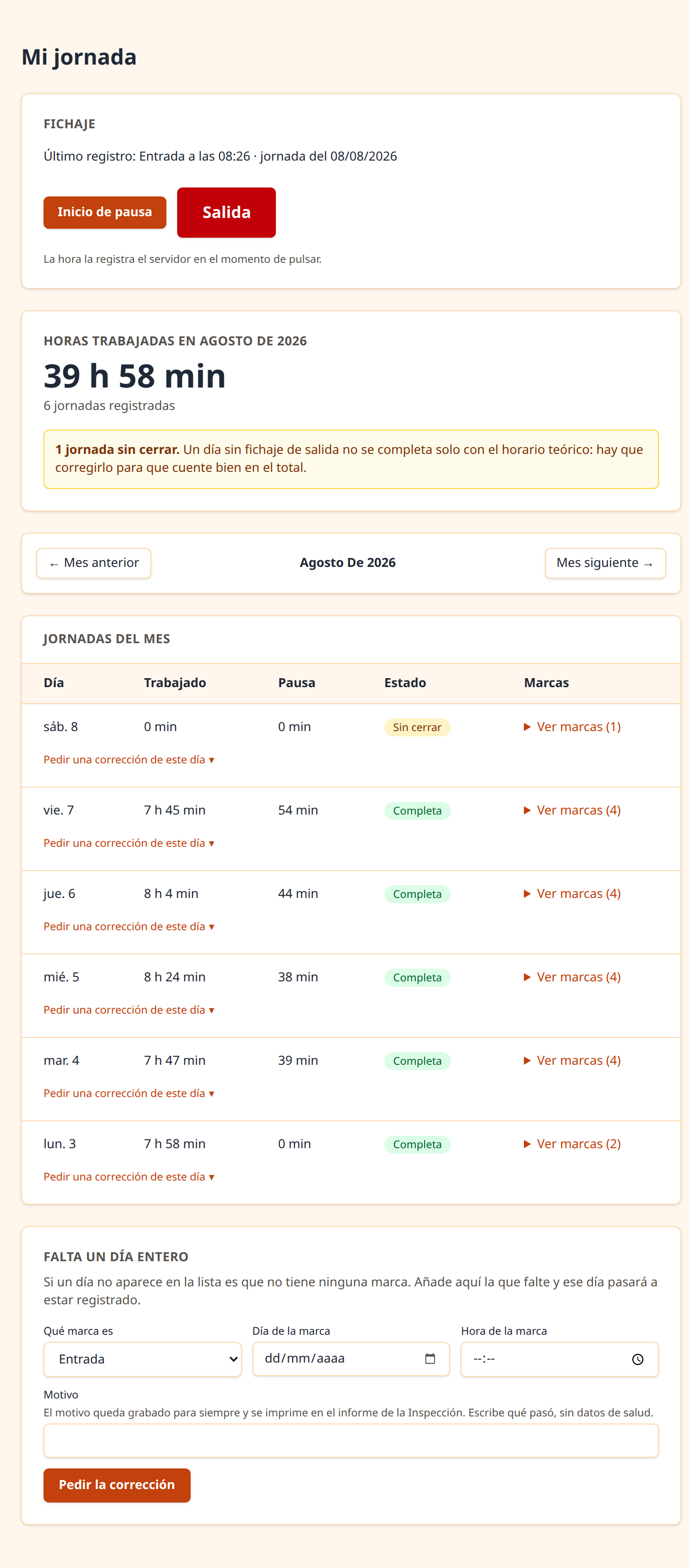
The screen for whoever works there is not a dashboard: it is one big button with their hours underneath. The moment they log in they know how the month is going.
- Clocking in
- In, out and breaks. The server sets the time, never the phone.
- Their hours for the month
- On logging in, without looking for them. This is what the CJEU calls accessible, which is why it comes first.
- Every entry, one by one
- And the ones they did not make themselves are shown differently, with colour and with a label in words.
- What data is held about them
- Their full record, with «Not recorded» where there is nothing. It is a precondition for being able to ask for corrections.
- Requesting leave or holiday
- With the balance in front of them as they pick the dates, and the supporting document encrypted if one is needed.
- Ask for a day to be corrected
- Right from the row of that working day, with no need for a shift lead: a small company often has none. It is asked for with a written reason, and whoever manages decides.
Whoever runs a shift
Today's team at a glance.
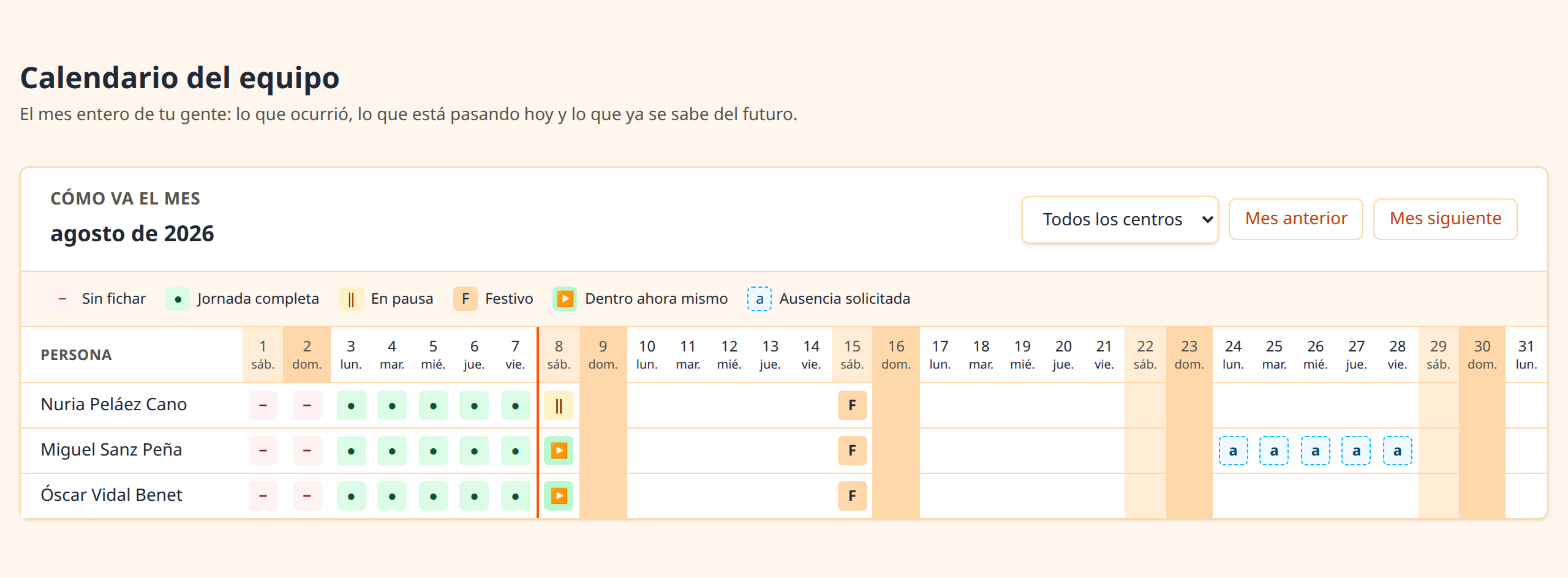
Whoever organises a shift needs two things: to know who is in right now, and to be able to look at the month without leaving the application.
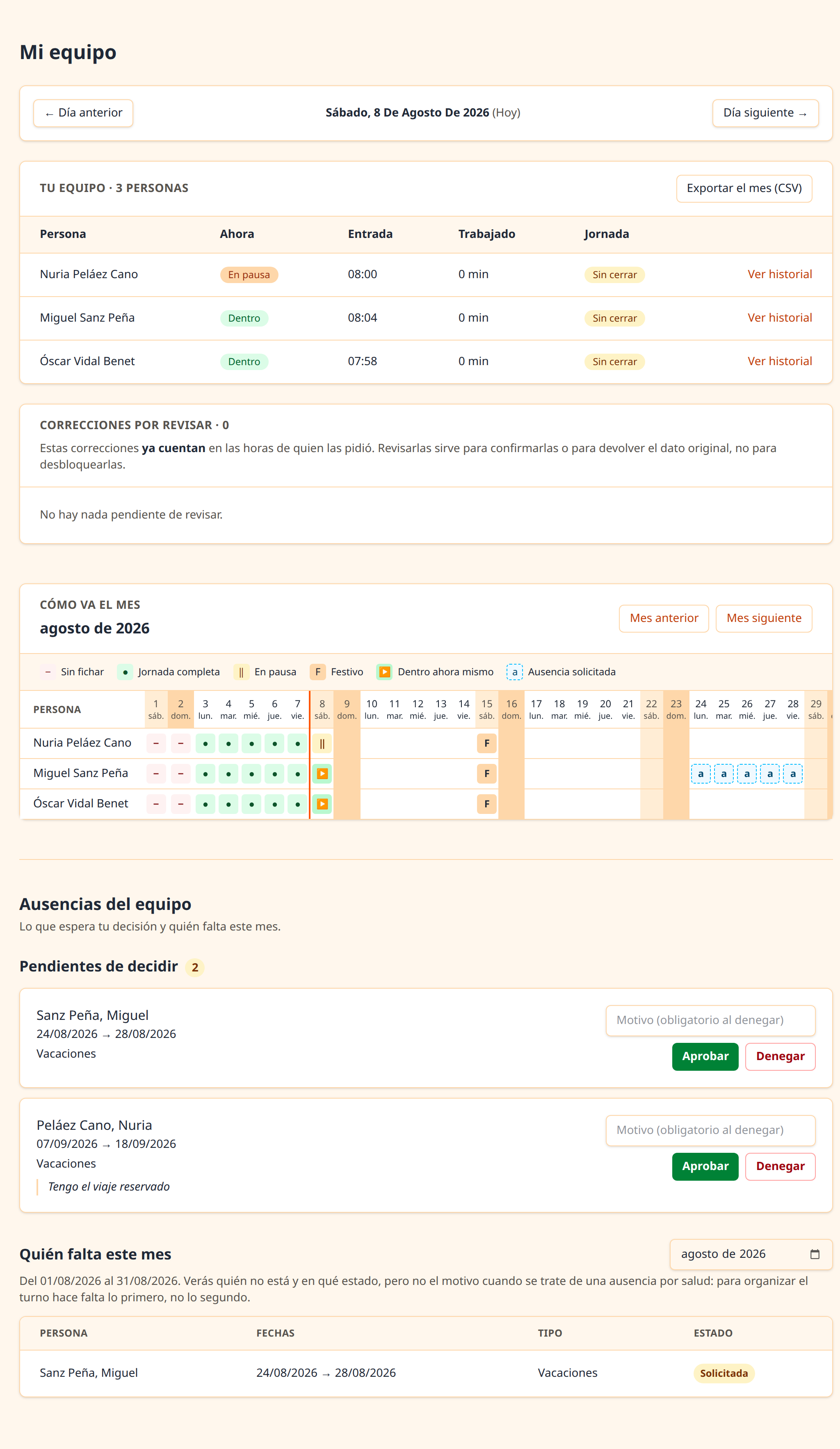
- The day's team
- Who has clocked in, who is on a break and who has not clocked in yet.
- The month grid
- Their people's whole month: the past from days already calculated, today in progress, and the future with public holidays and the absences already known.
- Approving leave
- For their own people, with the balance and the day's cover in front of them.
- And what they do NOT see
- The reason for a medical absence. They see that the person is out and that the shift is covered, and they are told in words that the reason is withheld. That is article 9 of the GDPR.
Whoever manages it
Everything you have to be able to produce.
This is the biggest part, and not by choice: almost everything article 34.9 requires ends up being a document somebody has to be able to produce.
- Staff, contracts and workplaces
- With their managers and their history: who reported to whom and which workplace they were at on any given day.
- Calculation rules and working calendar
- Scheduled hours, breaks and public holidays, with each workplace's own kept separate from the general ones.
- Corrections that delete nothing
- Each with its reason, its author and its date. The original entry stays: both remain.
- The change log
- Searchable and filterable. Who touched what, when and from where.
- PDF reports
- With a standard footer and the period's fingerprint printed on it, alongside the formula used to calculate it — a hash whose method is never published is one nobody can verify—.
- Monthly summaries
- The article 12.4.c) ones for part-time contracts, issued on the 1st, versioned if a late correction changes the month, and with the download evidencing delivery.
- The organisation document
- The article 34.9 one, generated from the company's actual configuration and versioned every time that configuration changes. Nobody writes it by hand.
- Holiday and balances
- Per person and year, with configurable carry-over and a pool of days owed.
- Compressed hours and how the week is split
- Summer compressed hours, the short Friday, or hours split the way your collective agreement has them, plus the year's forecast against what you have worked so far.
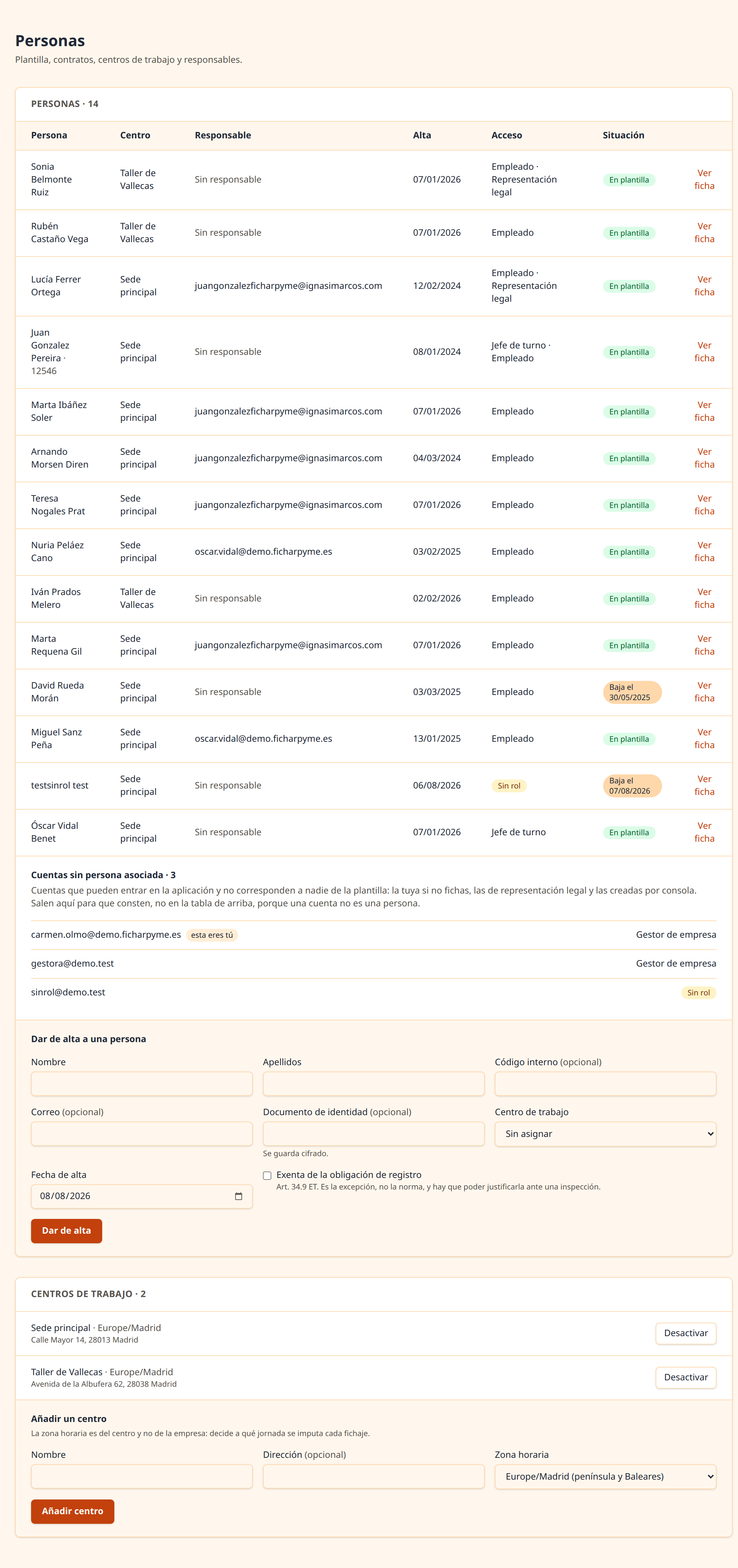 The change logSee the full screenshot
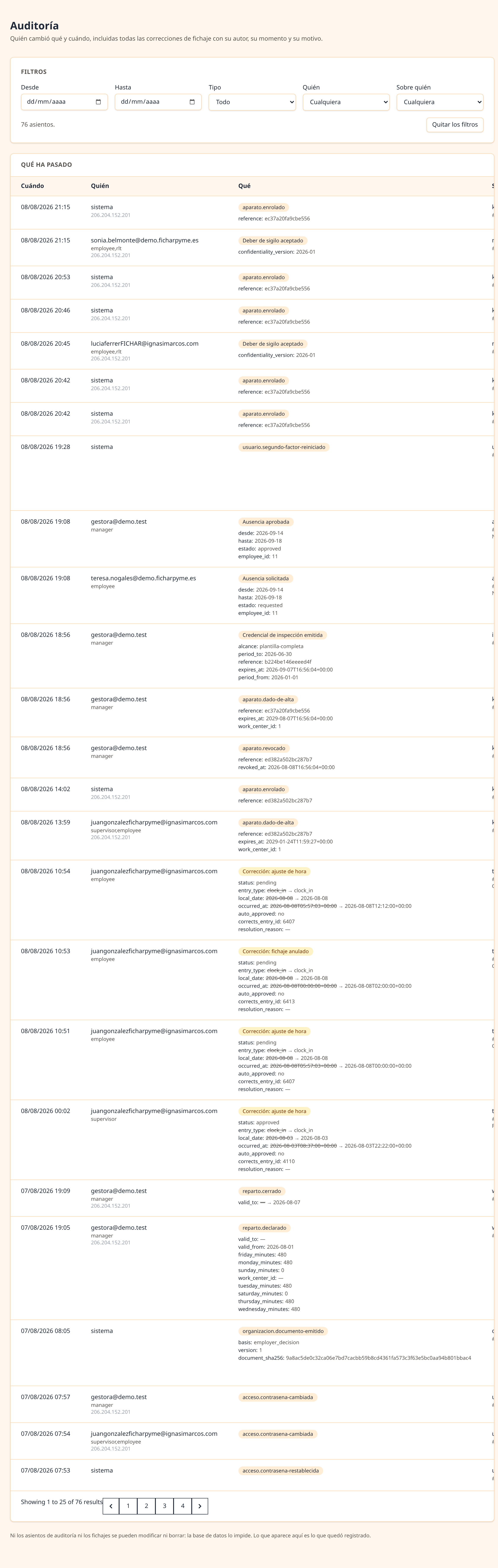 A report readySee the full screenshot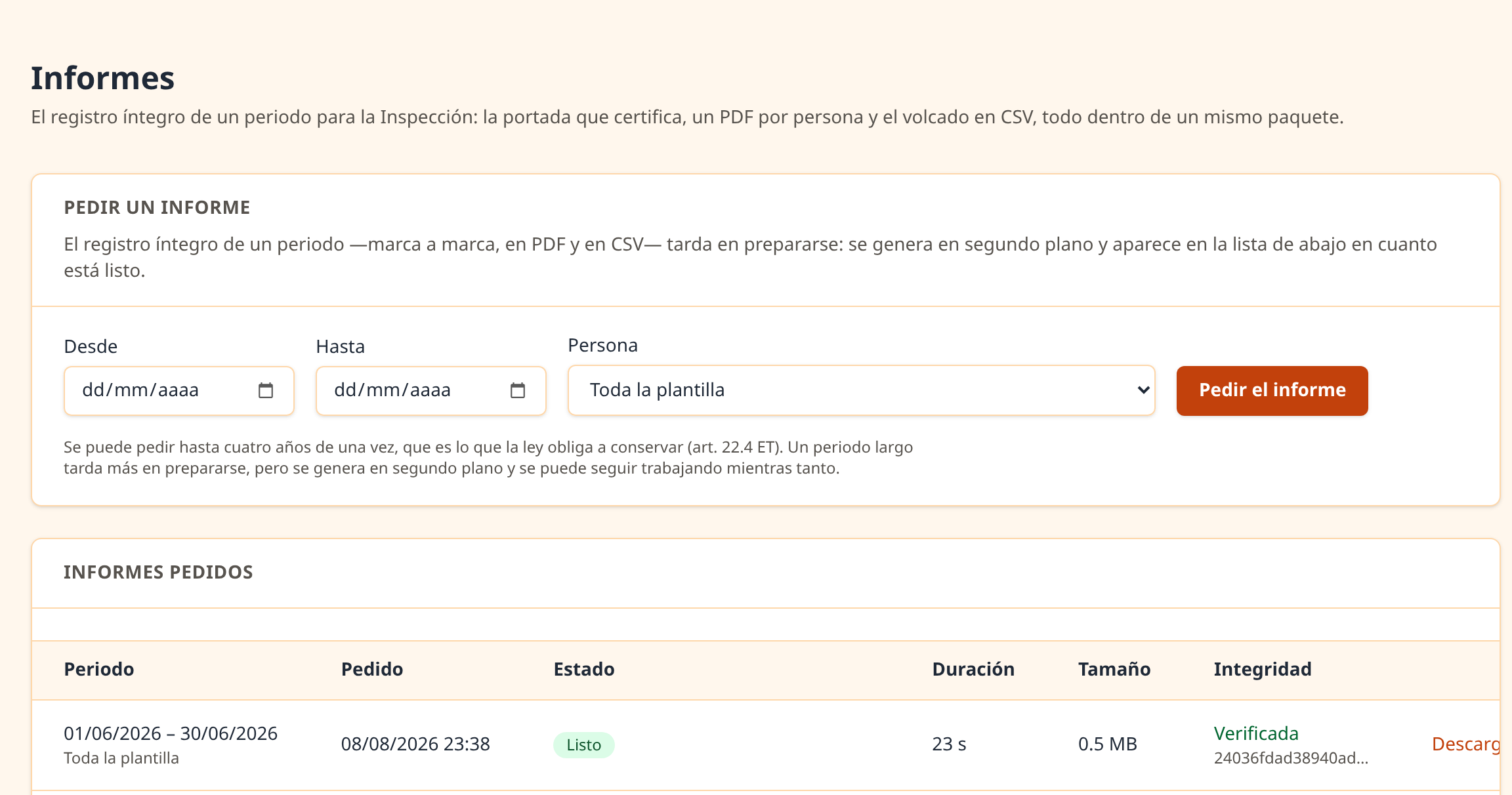
Whoever inspects or represents
Two more doors, and each sees its own.
The record has to be available to three parties, and not in the same way. So there are three separate routes and none of them does another's job.
- The Labour Inspectorate
- They are issued a temporary read-only credential, limited to the period they ask for. It is not an account, it carries nobody's password and it is revoked when the time comes.
- The full package
- A download with the period's record, its totals and the integrity check. It is produced even if that check fails, but marked on every page: refusing to issue it would leave the company unable to show its record because of a fault that might be ours.
- The workers' representatives
- They see working days and totals within their remit. They do not see the ID number, the email address or the reason for a correction: that is the principle of relevance, and here it is applied by removing data, not by asking for discretion.
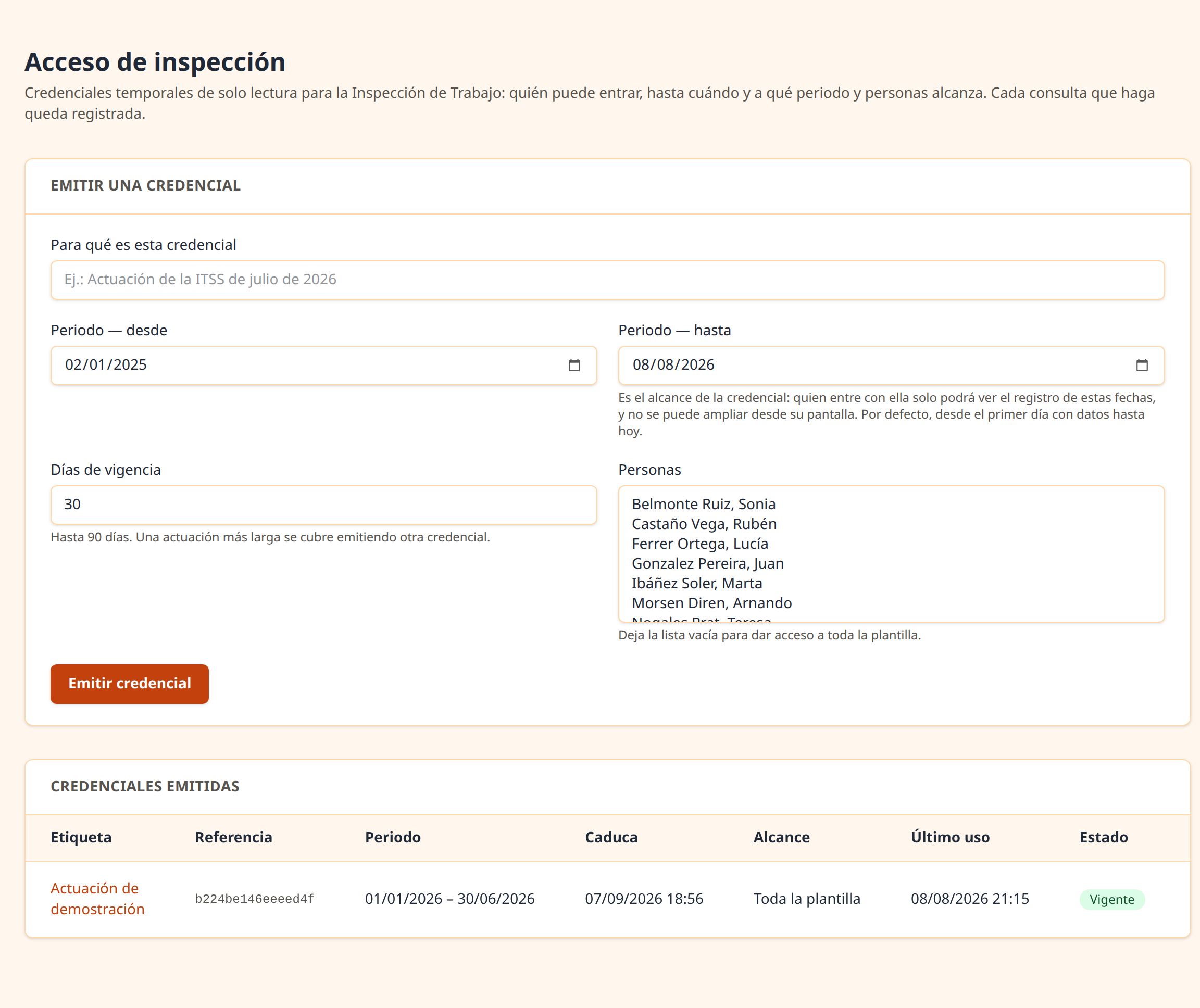
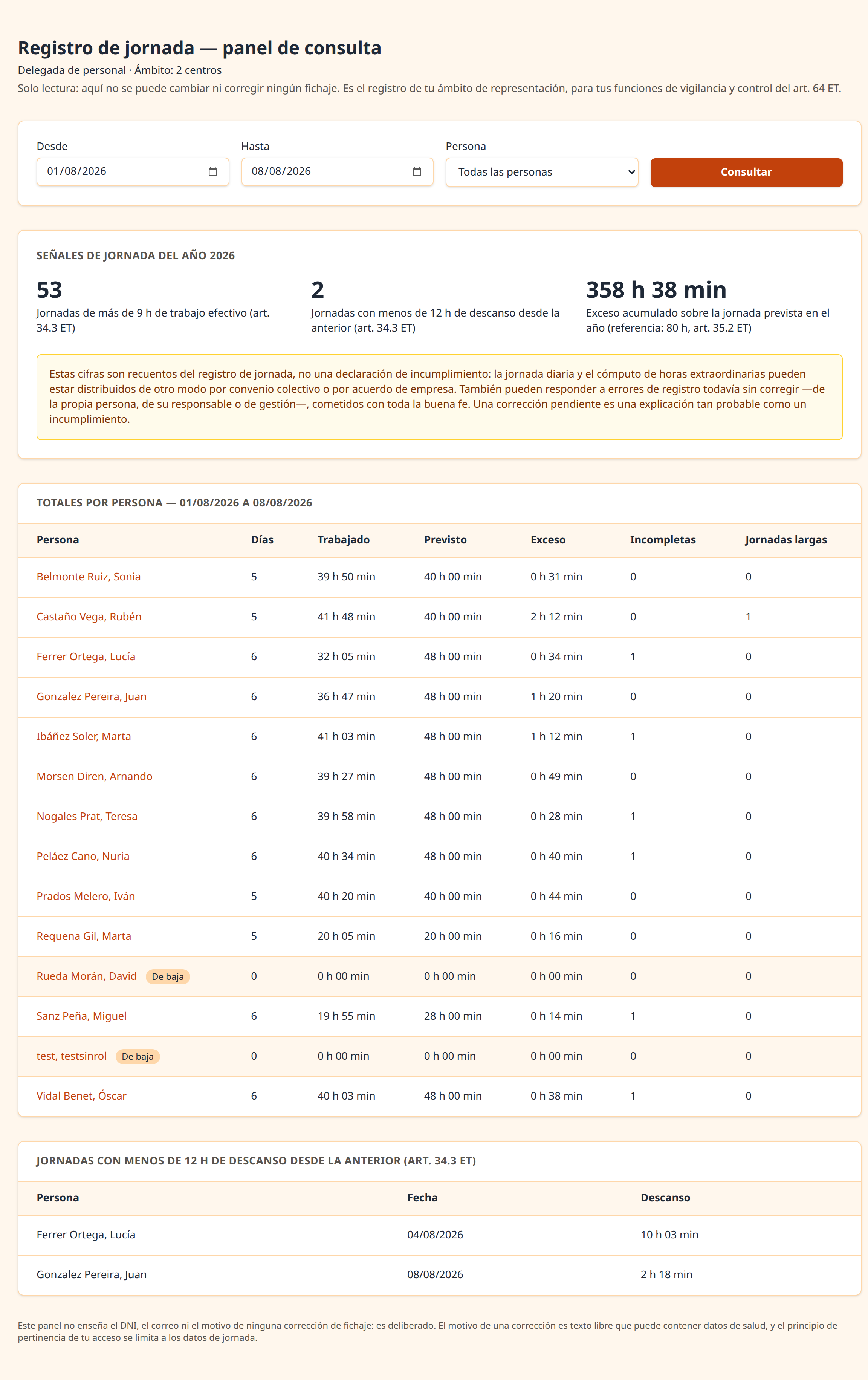
Who sees what
Each role sees its own, and none treads on another.
The first three contain one another. The other two doors are not larger: they are different, and they see less.
The whole company
Whoever manages it: the workforce and the documents that must be available to show.
My team
Whoever runs a shift, and only on the days they were in charge.
My working days
Whoever clocks in sees their own days and their own data. Nobody else's.
And two separate doors
The Labour Inspectorate
Read-only, limited to the period requested and with an expiry date.
The legal representatives
Working days and totals for their remit, with no ID number, no email and no reason for a correction.
In your language
Spanish, Catalan, Galician and Basque. Each person picks their own.
The company does not pick it: each person sets theirs in their settings and sees it that way from day one. These are the application's own words, exactly as they appear on screen.
Castellano
FichajeÚltimo registro:Salida
Català
FitxatgeÚltim registre:Sortida
Galego
FichaxeÚltimo rexistro:Saída
Euskara
FitxaketaAzken erregistroa:Irteera
On your phone
It installs like an app. Without being an app.
It is called a PWA, and the only thing worth knowing is what it does: you open it in the browser once, press «install», and from then on there is an icon on your phone or desktop that opens full screen, with no address bar and no typing the address again. No store, no download, no permissions: it runs inside the browser, with the same isolation as any other tab, and it never asks for your camera, your contacts, or your location.
1. Open it in the browser
Like any other website, on a phone or on a computer. There is nothing to download.
2. Ask to install it
One tap in the browser menu. No store, no download, no permissions: it is the same website, saved.
3. And it stays on your screen
It opens full screen, with no address bar, and remembers your session.

Where the button is
- On a computer
- An icon on the right of the address bar, in Chrome and Edge.
- On Android
- The three-dot menu, and «Add to Home screen».
- On iPhone
- The Share button, and «Add to Home Screen». Safari never offers it on its own, so you have to go and find it.
At the door
An old tablet in the hallway, and the end of «I'll write it down later».
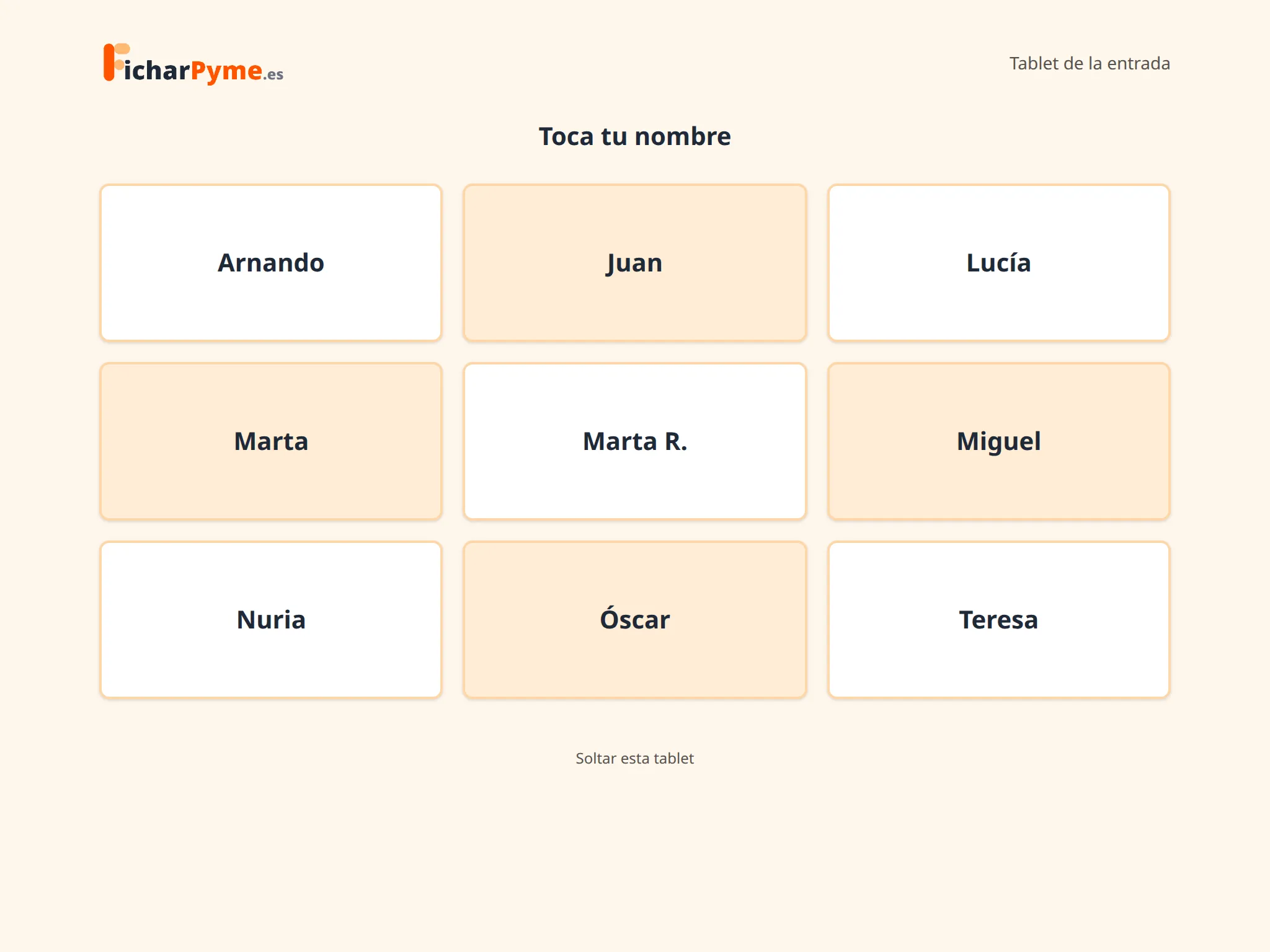
For the five-person hair salon, the workshop or the bar: people who do not work in front of a computer, and for whom opening a website to clock in is daily friction. You leave a device with a browser at the door, and people clock in and out there.
- No app, and no special device
- It is one more web screen, designed for a finger and to stay switched on. An old tablet or a laptop nobody uses any more will do.
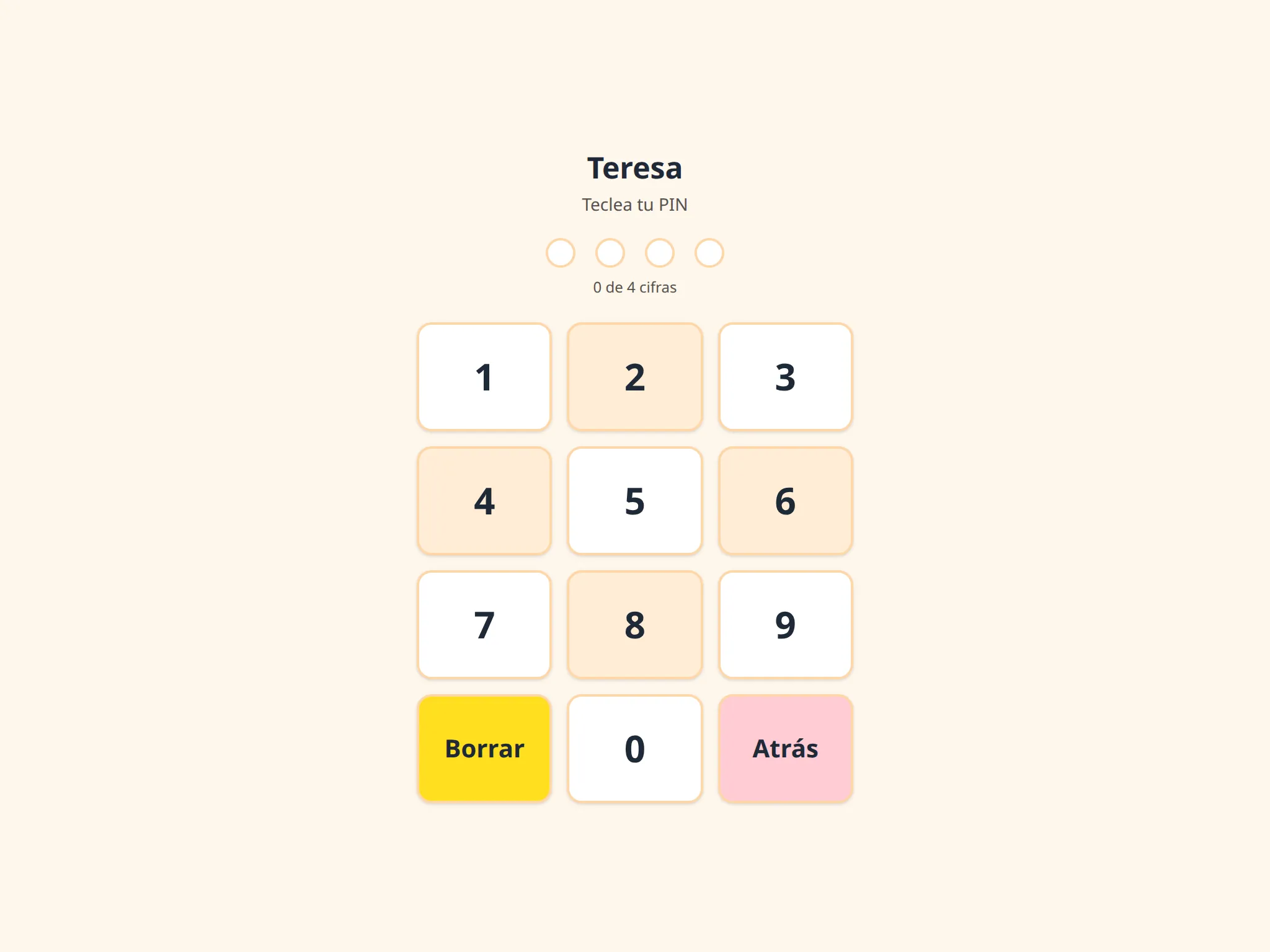
- Everyone with their own PIN
- Four digits typed in three seconds. Each person turns it on from their own portal, and not even whoever manages can set it or see it — anyone who can give you a PIN can clock in as you—.
A site's tablet only lists the people who work at that site. If the device is lost, it is revoked from the panel and stops working at once.
And this it does not
What it does not do, and why it is not going to.
- Biometrics
- No fingerprints and no facial recognition. Ever. There is no legal basis for it in Spanish working-time control, and the data protection authority has issued fines over it.
- Location tracking
- We do not know where anyone is, and we do not want to.
- Payroll
- It neither runs nor calculates it. You already have an accountant for that.
- Shift planning
- It does not plan shifts in advance. It records what happened, which is a different thing.
- Filling in gaps
- A day with no clock-out stays incomplete and at zero minutes, waiting for an explicit correction. It does not invent a single minute, and that is not a limitation: it is ruling SAN 22/2022.
- A native app
- There is no Android or iPhone app, and what one would add is the first two boxes in this list. The full argument is on the home page.